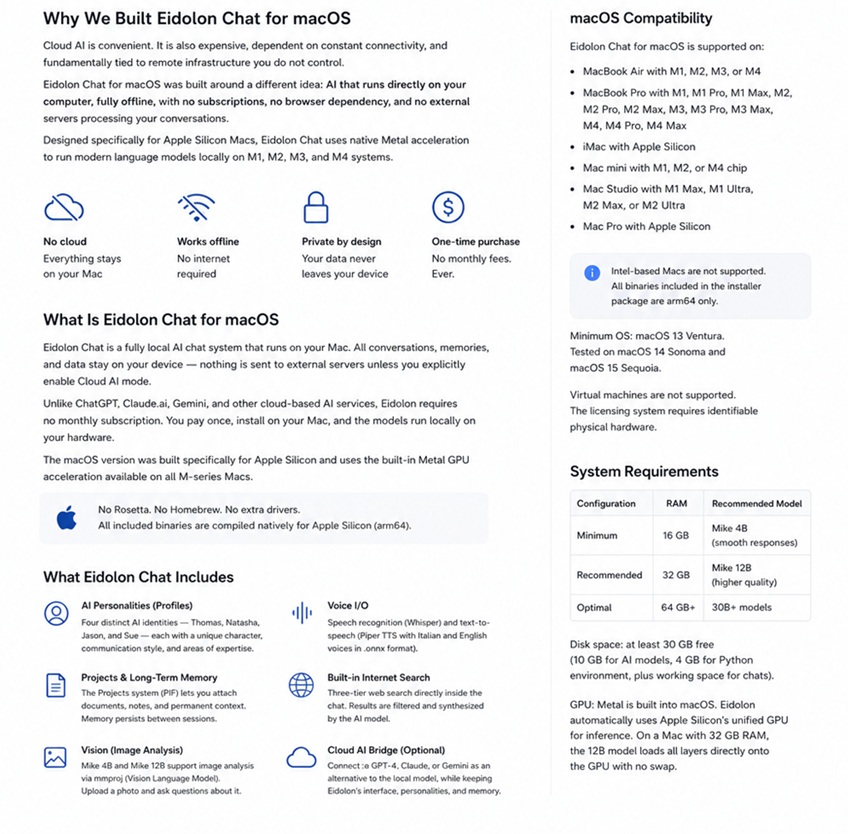
Cloud AI is convenient. It is also expensive, dependent on constant connectivity, and fundamentally tied to remote infrastructure you do not control. Eidolon AI Chat for macOS was built around a different idea: AI that runs directly on your computer, fully offline, with no subscriptions, no browser dependency, and no external servers processing your conversations.
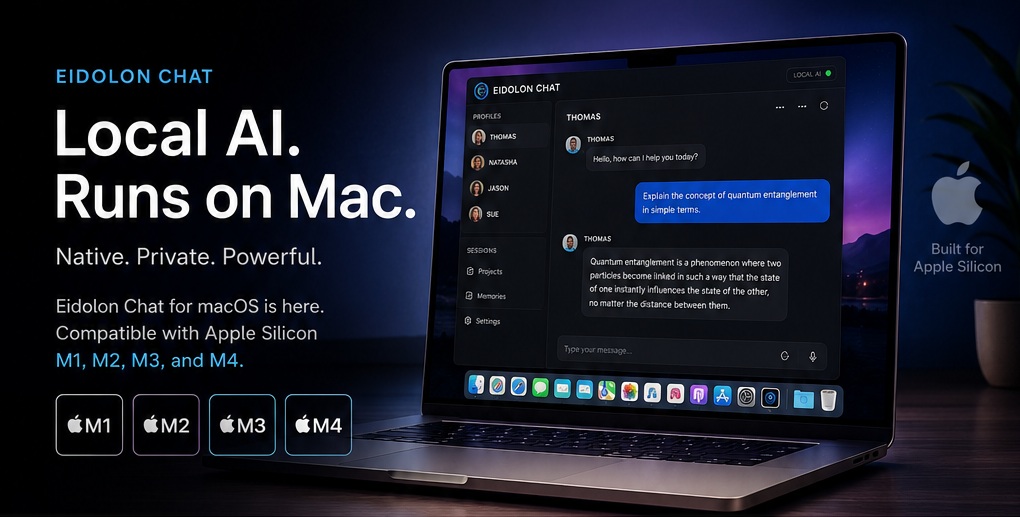
Designed specifically for Apple Silicon Macs, Eidolon Chat uses native Metal acceleration to run modern language models locally on M1, M2, M3, and M4 systems.
No Rosetta. No Docker. No Homebrew. No cloud required. Everything runs on your Mac.
What Is Eidolon Chat for macOS
Eidolon Chat is a fully local AI chat system designed for Apple Silicon Macs.
All conversations, memories, projects, and AI inference remain on-device unless the user explicitly enables optional Cloud AI routing. Unlike services such as ChatGPT, Claude, or Gemini, Eidolon does not require a recurring subscription. The models run locally on your hardware and continue working even without an internet connection.
The macOS version was developed specifically for Apple Silicon and uses Apple’s native Metal acceleration layer for GPU inference. All included binaries are compiled natively for arm64. No additional drivers are required. No external Python installation is needed. No system-level package managers are necessary.
The installer includes everything needed to run the platform locally.
macOS Compatibility
Eidolon Chat for macOS supports:
- MacBook Air with M1, M2, M3, or M4
- MacBook Pro with M1, M1 Pro, M1 Max, M2, M2 Pro, M2 Max, M3, M3 Pro, M3 Max, M4, M4 Pro, M4 Max
- iMac with Apple Silicon
- Mac mini with M1, M2, or M4
- Mac Studio with M1 Max, M1 Ultra, M2 Max, or M2 Ultra
- Mac Pro with Apple Silicon
Intel-based Macs are not supported.
Minimum operating system:
- macOS 13 Ventura
Tested on:
- macOS 14 Sonoma
- macOS 15 Sequoia
Virtual machines are not supported. The licensing system requires identifiable physical hardware.
System Requirements
| Configuration | RAM | Recommended Model |
|---|---|---|
| Minimum | 8 GB | Mike 4B |
| Recommended | 16 GB | Mike 12B |
| Optimal | 32 GB+ | 26B+ models |
Recommended free disk space:
- 15 GB minimum
This includes:
- AI model storage
- bundled Python environment
- chat history
- vector memory
- runtime cache
Metal acceleration is built directly into macOS and automatically used by Eidolon during inference.
On systems with 32 GB unified memory, the Mike 12B model can load entirely into GPU-accessible memory without swap usage.
Why Native macOS Support Matters
Eidolon Chat is not a browser wrapper around a remote API.
The macOS version includes:
- native arm64 llama-server binaries
- Metal acceleration
- standalone Python 3.12
- native ffmpeg
- isolated virtual environments
- local inference orchestration
The result is a system designed specifically for Apple Silicon rather than adapted from Windows or Linux builds.
For Mac users, this means:
- lower overhead
- reduced dependency conflicts
- simpler installation
- predictable performance
- direct GPU acceleration through Metal
What Eidolon Chat for macOS Includes
AI Personalities
Eidolon includes four pre-installed AI identities:
- Thomas
- Natasha
- Jason
- Sue
Each profile has its own communication style, tone, and behavioral rules.
These are not simple “modes” layered on top of the same prompt. Each identity uses a dedicated personality engine designed to maintain conversational consistency and persistent interaction patterns over time.
Long-Term Memory and Projects
The integrated PIF system (Permanent Information Files) allows users to attach long-term context to conversations. Projects, notes, research material, preferences, and persistent information remain available across sessions.
Eidolon remembers:
- names
- ongoing projects
- writing style
- preferences
- recurring topics
The goal is to create continuity rather than isolated chat sessions.
Voice I/O
Eidolon supports both speech recognition and text-to-speech.
Voice features are powered by:
- Whisper for speech recognition
- Piper TTS for local voice synthesis
Italian and English ONNX voices are included.
Users can speak directly to the AI and receive spoken responses entirely offline.
Voice features are available on systems with at least 16 GB RAM.
Vision and Image Analysis
The Mike 4B and Mike 12B models support multimodal image analysis through mmproj-based vision integration. Users can upload screenshots, photographs, diagrams, documents, or images directly into the chat and ask contextual questions about their contents.
Unlike cloud-based AI systems, image analysis happens locally on the user’s hardware.
Built-in Internet Search
Eidolon includes an integrated multi-layer internet search system.
The AI can:
- search the web
- filter results
- summarize information
- inject context directly into the ongoing conversation
The system works without requiring users to manually open a browser or copy-paste links.
Optional Cloud AI Bridge
Although Eidolon is designed as a fully local platform, users can optionally connect external AI providers such as:
- OpenAI
- Anthropic Claude
- Google Gemini
This allows advanced cloud reasoning while preserving Eidolon’s:
- interface
- memory system
- personalities
- workflow
Users maintain control over the balance between local privacy and external compute power.
Installation on Mac
Installation requires only three steps:
- Download the macOS package from the My Eidolon section at eidolonhub.com
- Run the installer
- Launch Eidolon Chat
On first startup, the application automatically downloads the selected AI model.
The installer already includes:
- bundled Python 3.12
- Metal-enabled llama-server
- native ffmpeg
- isolated virtual environment
- all required Python dependencies
No additional setup is required.
On first launch, macOS Gatekeeper may display a warning indicating that the developer cannot be verified.
The standard workaround is:
Right click → Open → Open
This occurs because Eidolon is distributed independently rather than through the Mac App Store.
Why Choose Local AI Instead of Cloud AI
The obvious question is fair:
Why install AI locally when ChatGPT and similar services already exist in the browser?
The answer depends on control.
Privacy
With Eidolon, conversations never leave the device unless explicitly configured otherwise.
There is:
- no server-side logging
- no remote processing
- no external model provider analyzing conversations
- no training on user chats
For professionals working with sensitive information — researchers, journalists, developers, lawyers, doctors — local inference is not a luxury.
It is often a requirement.
No Subscription Dependency
Most cloud AI platforms rely on recurring monthly subscriptions.
Eidolon follows a different model:
- install once
- run locally
- own the workflow
The AI does not stop functioning because a pricing tier changes or a cloud provider modifies its policies.
Offline Operation
Once models are downloaded, Eidolon works fully offline.
No connection is required for:
- chat
- memory
- personalities
- image analysis
- voice
This allows uninterrupted usage:
- while traveling
- in low-connectivity areas
- during network outages
- in isolated environments
Transparency and Customization
Eidolon’s architecture is intentionally visible.
Users can inspect:
- prompts
- personality configuration
- memory structure
- model routing
- context injection
The system is not designed as a sealed black box.
Apple Silicon Performance
Apple Silicon’s unified memory architecture is particularly well suited for local AI inference.
Unlike traditional PCs with separate system RAM and VRAM pools, Apple Silicon allows the GPU and CPU to access the same unified memory space.
This enables larger language models to load directly into GPU-accessible memory without constantly transferring layers between RAM and VRAM.
On a MacBook Pro M1 with 32 GB unified memory, the Mike 12B model (Q5_K_M) loads fully into Metal memory with no swap usage and delivers interactive generation speeds suitable for everyday conversational use.
In practical terms, this means modern Apple Silicon Macs can run advanced local AI models with performance levels previously associated mainly with dedicated desktop GPUs.
Availability
Eidolon Chat for macOS is available through eidolonhub.com.
Kickstarter backers can already access the macOS version through the My Eidolon section of their account.
Frequently Asked Questions
Does it work on Intel Macs?
No.
Eidolon Chat for macOS is developed exclusively for Apple Silicon (arm64).
Can I use it on a Mac with 8 GB RAM?
Technically yes, but performance will be limited.
Unified memory is shared between:
- macOS
- background applications
- the AI model itself
The 4B model can run, but responses may become slower and less stable.
16 GB is the recommended minimum.
Do I need Homebrew or a separate Python installation?
No.
The installer already includes a standalone Python 3.12 environment compiled for Apple Silicon.
No external dependencies need to be installed manually.
Does it work offline?
Yes.
Once the models are downloaded, the core AI chat system operates entirely offline.
Only optional internet-facing features require a connection.
Is it compatible with macOS 15 Sequoia?
Yes.
The current version has been tested on:
- macOS 14 Sonoma
- macOS 15 Sequoia
About Eidolon AI Hub
Eidolon AI Hub is developed by Blacknode LTD (UK).
Support: [email protected]